Why build a dedicated L1 in 2026
The shift toward application-specific blockchains is driven by the limitations of shared infrastructure. As Alchemy and CoinGecko define, an appchain is a blockchain exclusively designed to operate one specific application rather than hosting multiple apps on a shared ledger. This architectural choice resolves the "noisy neighbor" problem, where your application’s performance is throttled by unrelated traffic on a general-purpose chain.
Building a dedicated L1 grants you full sovereignty over consensus, state, and governance. You are no longer competing for block space with DeFi traders or NFT minters. Instead, you can tune the chain’s parameters—such as block time, gas limits, and validator sets—to match your application’s exact throughput requirements. This isolation ensures predictable latency and stable transaction costs, which are critical for user retention in consumer-facing dApps.
In 2026, the technical barrier to launching a custom chain has dropped significantly thanks to modular frameworks like Cosmos SDK and Polygon CDK. These tools allow developers to spin up a sovereign L1 without maintaining a massive validator network from scratch. By decoupling execution from consensus, you can focus on building the unique features that differentiate your app, while relying on established security models for the underlying infrastructure.
Compare app chain frameworks
Choosing the right infrastructure determines how quickly you can launch and how easily your app scales. The three dominant options for building custom app chains in 2026 are Cosmos SDK, Polygon CDK, and Avalanche Subnets. Each offers a different balance of flexibility, developer familiarity, and interoperability.
Cosmos SDK provides the most granular control over consensus and state machine logic. It is ideal for teams prioritizing sovereignty and cross-chain communication via IBC, though it requires a steeper learning curve for developers unfamiliar with Go. Polygon CDK leverages the widely adopted EVM ecosystem, allowing you to deploy compatible chains using familiar Solidity tooling while benefiting from Polygon's shared security and rollup infrastructure. Avalanche Subnets offer a modular approach, enabling teams to create custom virtual machines (VMs) that run in parallel, which is particularly effective for high-throughput applications or gaming.
The table below breaks down the technical differences to help you align your choice with your project's specific requirements.
| Framework | EVM Compatible | Interoperability | Dev Complexity |
|---|---|---|---|
| Cosmos SDK | No (Native) | IBC Protocol | High |
| Polygon CDK | Yes | Polygon PoS/AggLayer | Medium |
| Avalanche Subnets | Yes (Custom VMs) | C-Chain/X-Chain | Medium-High |
Set up the development environment
Initialize your project structure before writing any chain logic. A clean workspace prevents dependency conflicts and makes it easier to isolate the custom app chain code from your application frontend.

Create a new folder for your app chain and initialize a package manager. This creates the package.json file that tracks your dependencies. Use a modern bundler like Vite or Webpack if you plan to build a frontend interface alongside the chain.
Install the command-line interface for your chosen framework. This tool scaffolds the necessary configuration files, such as the genesis block definition and node configuration. For example, if using a CosmWasm or EVM-based stack, install the specific CLI that handles chain initialization.
npm install -g @your-framework/cli
Define the initial state of your custom app chain. The genesis file specifies the consensus engine, initial validator set, and any pre-funded accounts. This file is the blueprint for your chain's birth and must be precise to avoid consensus failures.
Add the runtime libraries required to interact with the chain. These include RPC clients, wallet connectors, and smart contract interfaces. Ensure your versions are compatible with the framework's current release to avoid breaking changes in 2026.
With the environment configured, you are ready to define the chain's parameters and start the local node.
Configure consensus and tokenomics
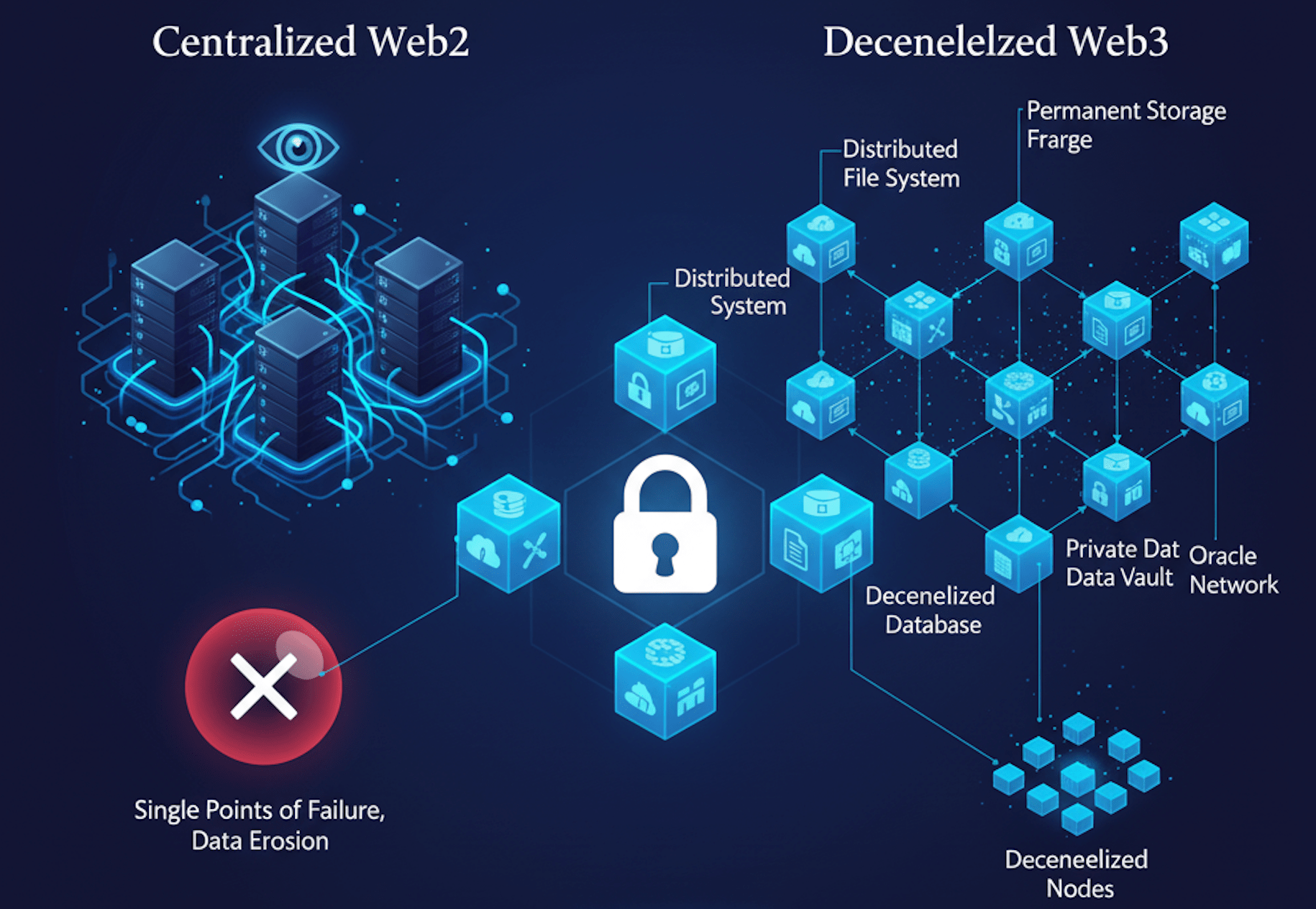
Defining the native token, validator set, and consensus mechanism sets the economic and technical foundation for your custom app chain. Unlike general-purpose blockchains that serve multiple applications, an appchain is designed to handle a specific task more efficiently [1]. This section walks you through the core configuration decisions that determine how your chain reaches agreement and sustains its economy.
Most custom app chains in 2026 rely on Proof of Stake (PoS) variants, particularly Tendermint BFT (Byzantine Fault Tolerance). This mechanism provides finality in seconds, which is critical for application responsiveness. When configuring Tendermint, you define the block time (e.g., 6 seconds) and the voting power distribution. Ensure your consensus parameters align with your application’s throughput requirements; faster block times increase latency but improve user experience.
The validator set determines who secures the network. For a custom app chain, you can start with a permissioned set of validators (e.g., 7-21 nodes) to ensure high availability and low latency during the initial launch phase. Each validator must stake a minimum amount of the native token. As the network matures, you can gradually decentralize by allowing external validators to join, provided they meet the staking and technical requirements defined in your genesis configuration.
Your native token serves two primary functions: paying for transaction fees (gas) and securing the network through staking. Define the token’s supply model—whether fixed or inflationary—and its utility within your app’s ecosystem. For example, if your app requires frequent micro-transactions, ensure the gas fees are low enough to not deter users. Align the token’s value accrual with the app’s usage metrics to create a sustainable economic loop for validators and stakers.
Governance allows token holders to propose and vote on protocol upgrades, parameter changes, and treasury allocations. Define the voting period, quorum requirements, and threshold for proposal acceptance. For a custom app chain, you might start with a multi-sig governance model controlled by core developers for faster iteration, then transition to on-chain governance as the community grows. Ensure your governance contract is audited to prevent exploits that could drain the treasury or halt the chain.
Deploy and test the network
With the configuration finalized, the next phase is launching the genesis block and verifying that the custom app chain responds correctly to requests. This stage transforms static configuration into a live, queryable network. You will generate the genesis state, initialize the node, and run integration tests to ensure the chain is stable before any public exposure.
Generate the genesis file
The genesis file defines the initial state of your app chain, including validator accounts, token distribution, and consensus parameters. Use the init command to create this file based on your config.toml and app.toml settings.
yourchaind init <moniker> --chain-id <chain-id>
Replace <moniker> with a human-readable name for your node and <chain-id> with the unique identifier for your network. This command creates the necessary directory structure and initializes the genesis file. Double-check that the genesis file contains the correct validator public keys and initial token balances.
Start the node
Once the genesis file is ready, start the node in local mode. This runs the node on your machine, allowing you to interact with it via the command line or RPC endpoint.
yourchaind start
Monitor the console output for any errors during startup. If the node starts successfully, you should see logs indicating that the node is syncing and processing blocks. If you encounter errors, check the logs for missing dependencies or configuration mismatches.
Verify the RPC endpoint
The final step is to verify that the node is responding to RPC requests. Use curl to query the health endpoint or check the latest block height.
curl http://localhost:26657/status
A successful response will return JSON data containing the node's status, including the latest block height and validator information. This confirms that your custom app chain is live and ready for integration testing. For detailed documentation on RPC endpoints, refer to the Alchemy Ethereum API documentation as a reference for standard RESTful interactions.
Common app chain pitfalls
Building a custom app chain in 2026 requires more than just assembling modular components; it demands rigorous operational discipline. Many teams underestimate the hidden costs of running a sovereign chain, particularly the economic security required to attract honest validators. Without sufficient staking depth, your chain becomes vulnerable to 51% attacks or prolonged liveness failures during network stress.
Another frequent error is skipping comprehensive security audits. Unlike monolithic chains, app chains often introduce novel state transitions or bridge logic that standard testnets don’t catch. Relying solely on internal testing leaves critical vulnerabilities exposed. Engage third-party auditors early in the development cycle to identify consensus bugs and economic exploits before mainnet launch.
Finally, avoid over-engineering the initial validator set. A small, centralized group of validators increases censorship risk and reduces decentralization credibility. Start with a manageable number of high-quality validators who understand the specific uptime and hardware requirements of your custom chain. This approach ensures stability and builds trust with early users.
Custom App Chain Build Checklist
Before deploying your custom app chain in 2026, verify these critical milestones. This summary ensures your infrastructure aligns with the narrow focus required for application-specific blockchains, as defined by Alchemy and CoinGecko.
-
Select a modular framework (e.g., Cosmos SDK, Substrate) for your specific use case
-
Configure genesis state and validator set parameters
-
Testnet deployment with simulated transaction load
-
Security audit of smart contracts and node configurations
-
Mainnet launch and ongoing node monitoring
Completing these steps confirms your chain is ready for production. Each item represents a foundational layer; skipping validation risks network instability or security vulnerabilities during the launch phase.
Frequently asked: what to check next
How do I build a custom app chain in 2026?
Building a custom app chain requires moving beyond generic smart contracts to a dedicated blockchain architecture. Start by defining your consensus mechanism and data availability layer, then use frameworks like Cosmos SDK or Polygon CDK to configure the chain. This approach isolates your application’s performance from public network congestion, ensuring predictable transaction costs and throughput for your specific use case.
What skills are needed for app chain development in 2026?
The 2026 developer roadmap demands more than just Solidity knowledge. Hiring teams expect full-stack delivery capabilities, including security auditing and Layer-2 deployment strategies. You need proficiency in Rust or Go for consensus layer configuration, familiarity with modular blockchain stacks, and the ability to design modern wallet UX that abstracts away the complexity of bridging and gas fees.
How much does it cost to launch an app chain?
Costs vary significantly based on infrastructure choices. Running a validator node on a shared chain is inexpensive, but launching a dedicated app chain requires capital for validator incentives, infrastructure maintenance, and security audits. Budget for initial node setup, potential bridge security audits, and ongoing operational expenses for data availability and sequencing layers to ensure long-term viability.
No comments yet. Be the first to share your thoughts!